
The Era of Manual Pixel Tagging is Over: Welcome to Automatic Pixel Tagging
Maximize your sales profits with automatic pixel tagging.





















How it works

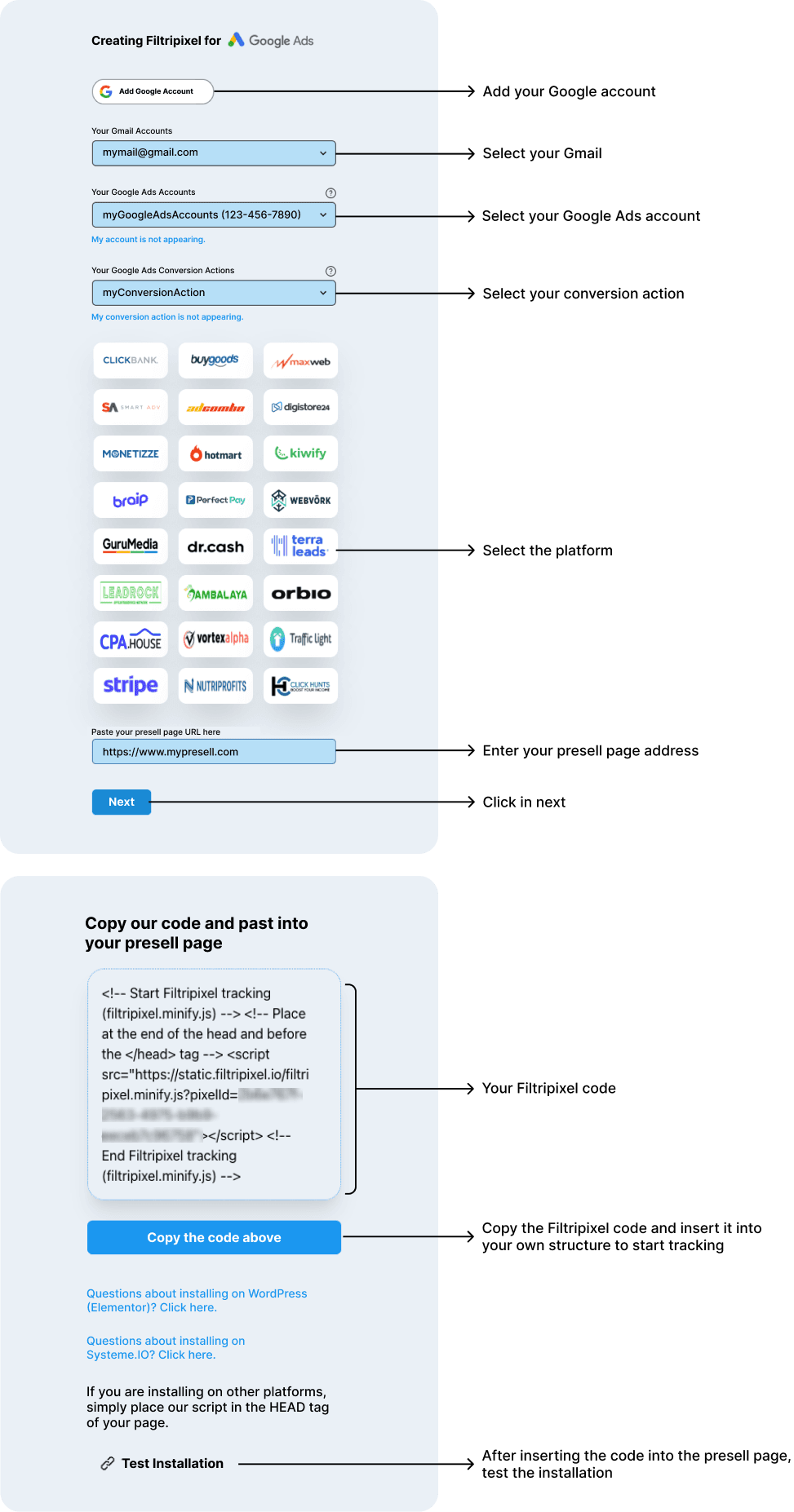
1. Download the Filtrify App and register the platforms
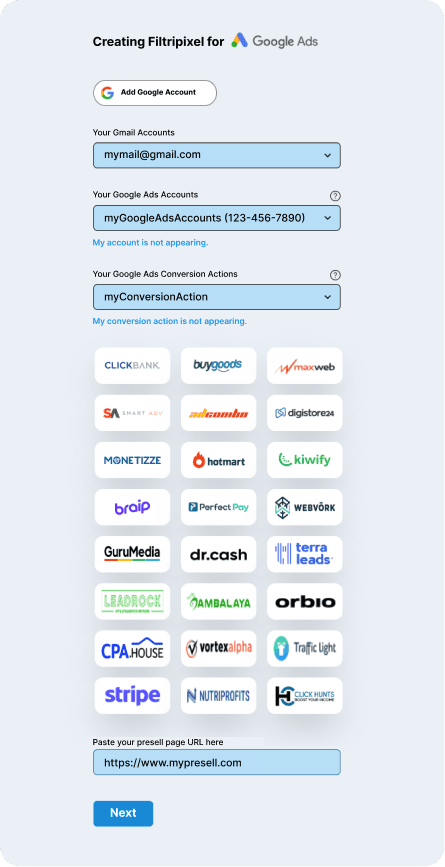
2. Sign up for Filtripixel and connect with your Google account

3. Select your Google Ads account and the conversion goal

4. Insert the HTML snippet into your own structure (WordPress, Systeme.io, etc.)

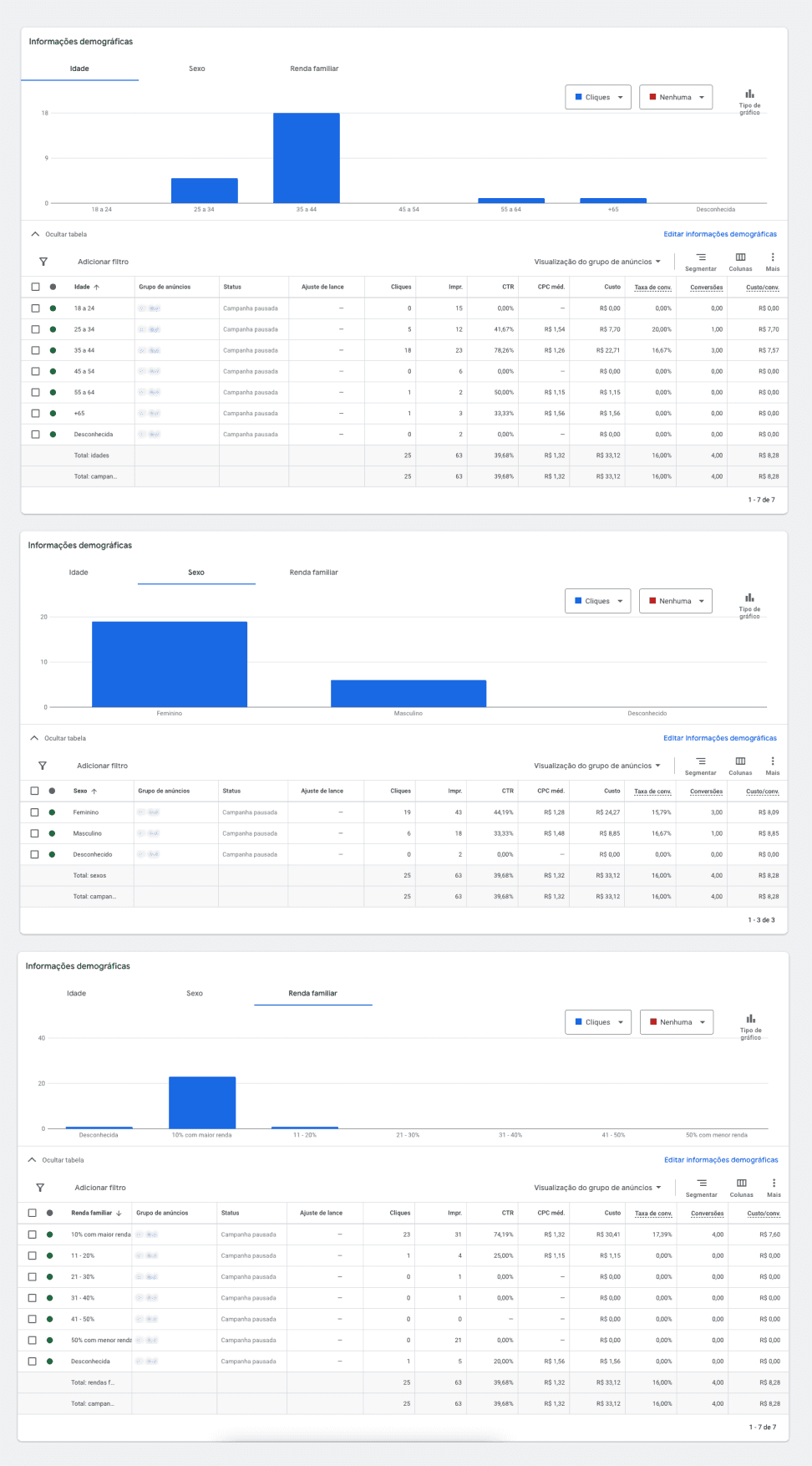
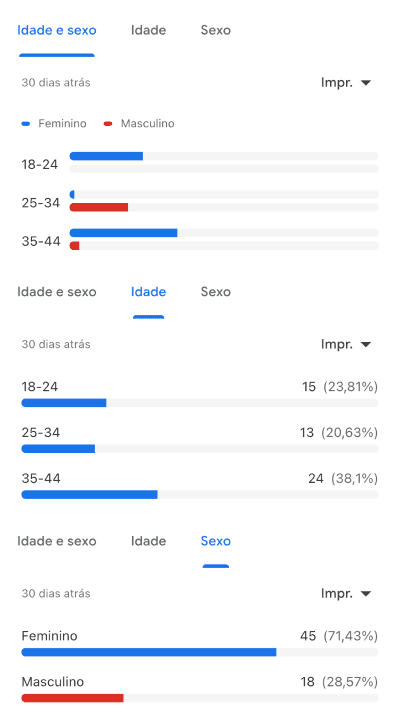
5. After your first sale, you will have the tagging and demographic data

Unlock the Potential of Your Campaigns
Are you tired of operating in the dark with your international affiliate campaigns? Platforms like ClickBank, BuyGoods, and Digistore leave you without pixel tagging tools, hurting your marketing strategies and financial results.
Revolutionizing Affiliate Marketing with Intelligence and Efficiency
With Filtripixel, advance to intelligent affiliate marketing. We offer automation in pixel tagging, eliminating manual processes. Simpler, more effective, and more economical than competitors like ClickMagick. Get ready to optimize campaigns, increase visibility, and boost profits!

App that consolidates sales from platforms
Automatic sales tracking in Google Ads
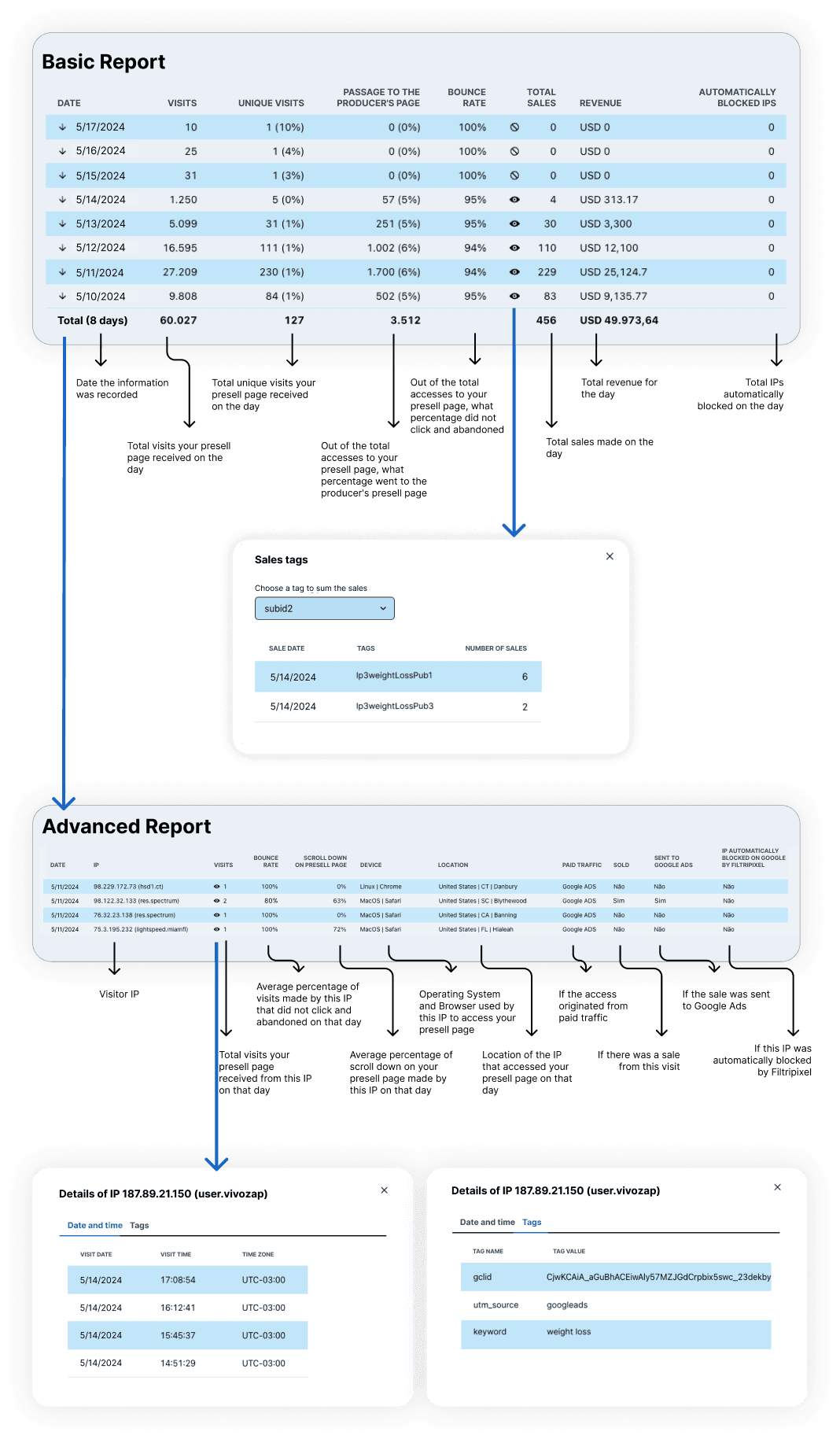
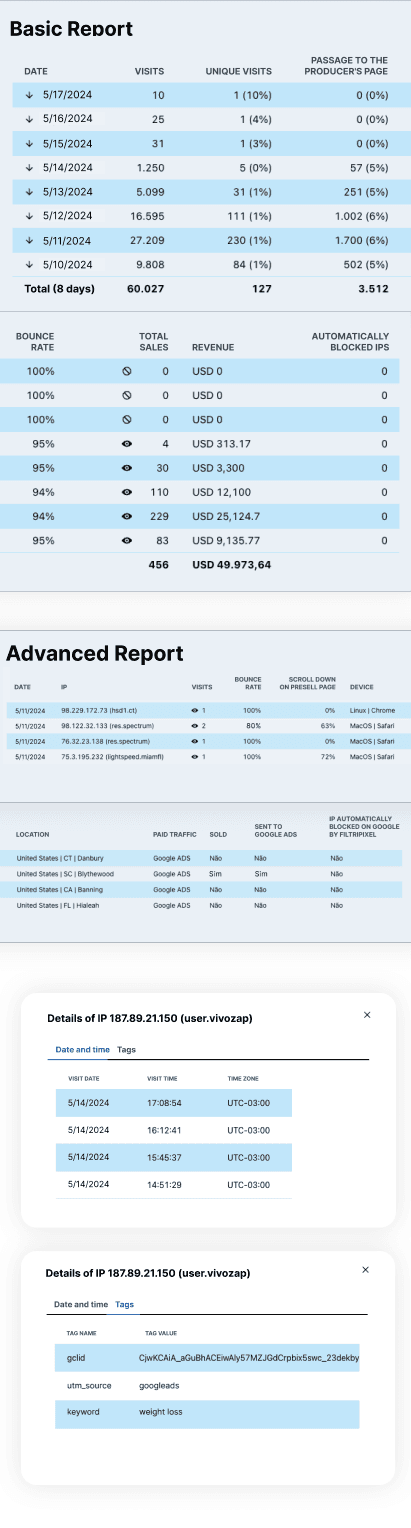
Basic report
Advanced report
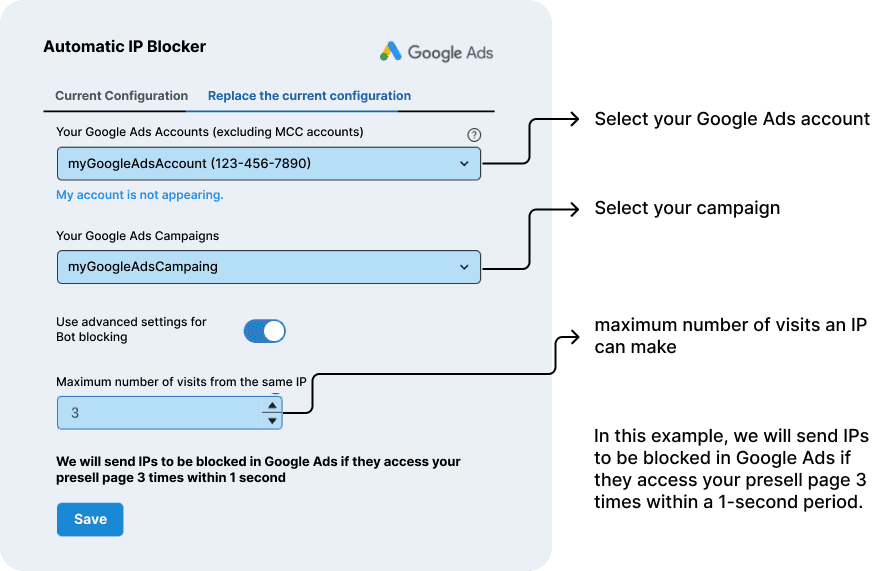
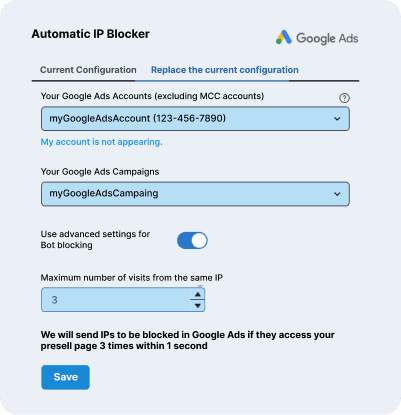
Automatic IP blocker
WhatsApp support
Sales notification
Multiple platforms
App that consolidates sales from platforms
Automatic sales tracking in Google Ads
Basic report
Advanced report
WhatsApp support
Sales notification
Multiple platforms
guarantee your access
















guarantee your access
guarantee your access
don't buy Bots and Plugins
Many face slow bots and plugins that fail, creating tedious manual work and leaving gaps in vital data. Filtripixel innovates by automating pixel tagging and eliminating manual processes, efficiently meeting the demands of affiliates.


don't subscribe to ClickMagick
ClickMagick, despite being popular for tracking and analysis, is expensive and complex, not serving affiliates well. Filtripixel, focused on affiliates, simplifies pixel tagging, making it more affordable and user-friendly.

Unlimited products with automatic conversion sending to Google Ads
Basic report
Advanced report
Automatic fraudulent click blocker
WhatsApp support

O que você vai receber??
Preciso pagar uma taxa mensal?
Qual é a forma de pagamento?
Existe garantia?
Em que horários posso usar a ferramenta?
Por que não posso simplesmente usar o rastreamento de vendas das plataformas?
Preciso fornecer meus dados de acesso à plataforma para usar o Filtripixel?
Preciso conceder permissão para o Filtripixel acessar minha conta do Google Ads?
Posso usar o Filtripixel junto com outras ferramentas como ClickMagick, Smart Click, Ratoeira ou similares?
É possível usar o Filtripixel com um link direto para a página de presell do produtor?
O Filtripixel atualiza instantaneamente no Google Ads?
Quais tipos de conversões do Google Ads o Filtripixel suporta?
Posso usar uma conta MCC com o Filtripixel?
E se eu não quiser usar uma conta MCC?
O Filtripixel será compatível com Bing Ads, Facebook Ads, etc.?
Posso ter várias contas do Google Ads e associar vários endereços de e-mail do Gmail?
É permitido compartilhar o Filtripixel em várias páginas de presell no mesmo domínio?
O Filtripixel pode ser usado com Elementor e SystemeIO?
Preciso sempre testar se o Filtripixel foi instalado com sucesso?
Posso solicitar um reembolso por uma venda cancelada?

Filtripixel's use of information received from Google APIs will comply with the Google API Services User Data Policy, including the Limited Use requirements.
© EXTRACTIFY TECNOLOGIA LTDA CNPJ 28.095.894/0001-6